Welcome to VMS
The Visitor Management System (VMS) is a comprehensive solution designed to streamline visitor registration, check-in/check-out processes, badge management, and security monitoring. This guide will help you understand and utilize all features of the system effectively.
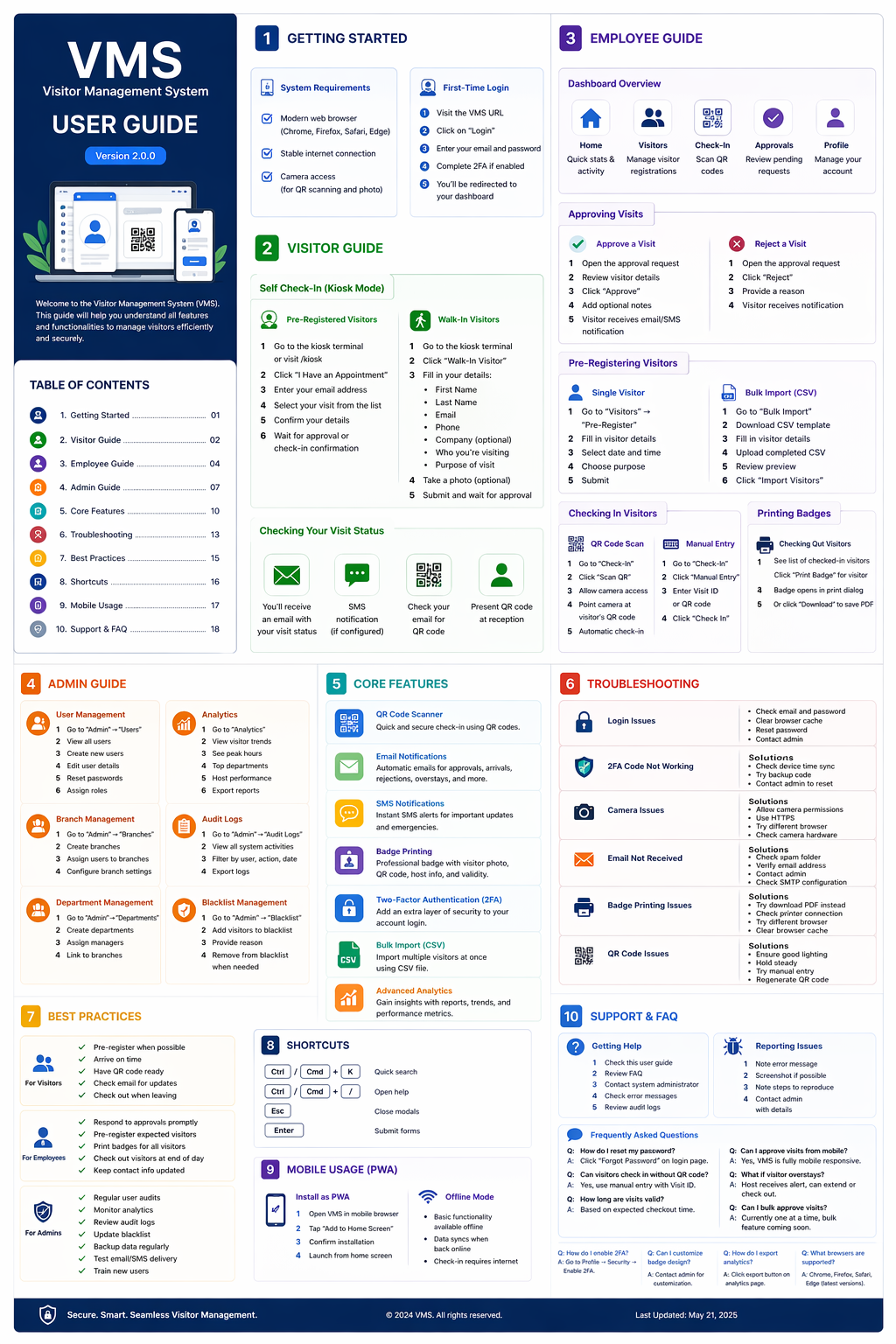
Click image to view in full screen
Key Features
👤 Visitor Registration
Quick and easy visitor registration with photo capture, document upload, and QR code generation.
✅ Check-In/Check-Out
Seamless check-in and check-out process with QR code scanning and real-time tracking.
🎫 Badge Management
Automated badge printing with visitor information, QR codes, and validity periods.
🚗 Vehicle Management
Track visitor vehicles with parking slot assignment and automated notifications.
📊 Analytics & Reports
Comprehensive analytics dashboard with real-time statistics and detailed reports.
🔔 Notifications
Automated email and SMS notifications for hosts, visitors, and security personnel.
🔒 Security Features
Blacklist management, emergency protocols, and comprehensive audit logging.
👥 Multi-Role Access
Role-based access control for Admin, Security, Receptionist, and Host users.
Getting Started
- Login: Access the system using your credentials at the login page.
- Dashboard: View real-time statistics and quick access to all features.
- Register Visitor: Navigate to "New Visitor" to register a new visitor.
- Check-In: Use QR code scanner or manual entry for visitor check-in.
- Print Badge: Generate and print visitor badges with QR codes.
- Monitor: Track active visitors in real-time from the live dashboard.
- Check-Out: Process visitor check-out using QR code or manual entry.
- Reports: Generate detailed reports for analysis and compliance.
User Roles & Permissions
👑 Admin
Full system access including user management, settings, analytics, and system configuration.
🛡️ Security
Visitor check-in/out, badge verification, emergency management, and security monitoring.
📝 Receptionist
Visitor registration, check-in/out, badge printing, and appointment management.
🏢 Host
View scheduled visitors, approve/reject visits, and receive notifications.
Quick Tips
- QR Codes: Always use QR code scanning for faster check-in/out process.
- Pre-Registration: Pre-register frequent visitors to save time.
- Notifications: Enable email/SMS notifications for better communication.
- Reports: Generate daily reports for security and compliance purposes.
- Blacklist: Regularly update the blacklist for enhanced security.
- Backup: Ensure regular database backups for data safety.
- Mobile Access: Use the system on mobile devices for on-the-go management.
- Training: Provide proper training to all staff members using the system.
Need Help?
If you encounter any issues or need assistance, please contact your system administrator or refer to the detailed documentation available in the system. For technical support, reach out to the IT department.
Ready to Get Started?
Access the Visitor Management System and streamline your visitor operations today!
Go to VMS Dashboard